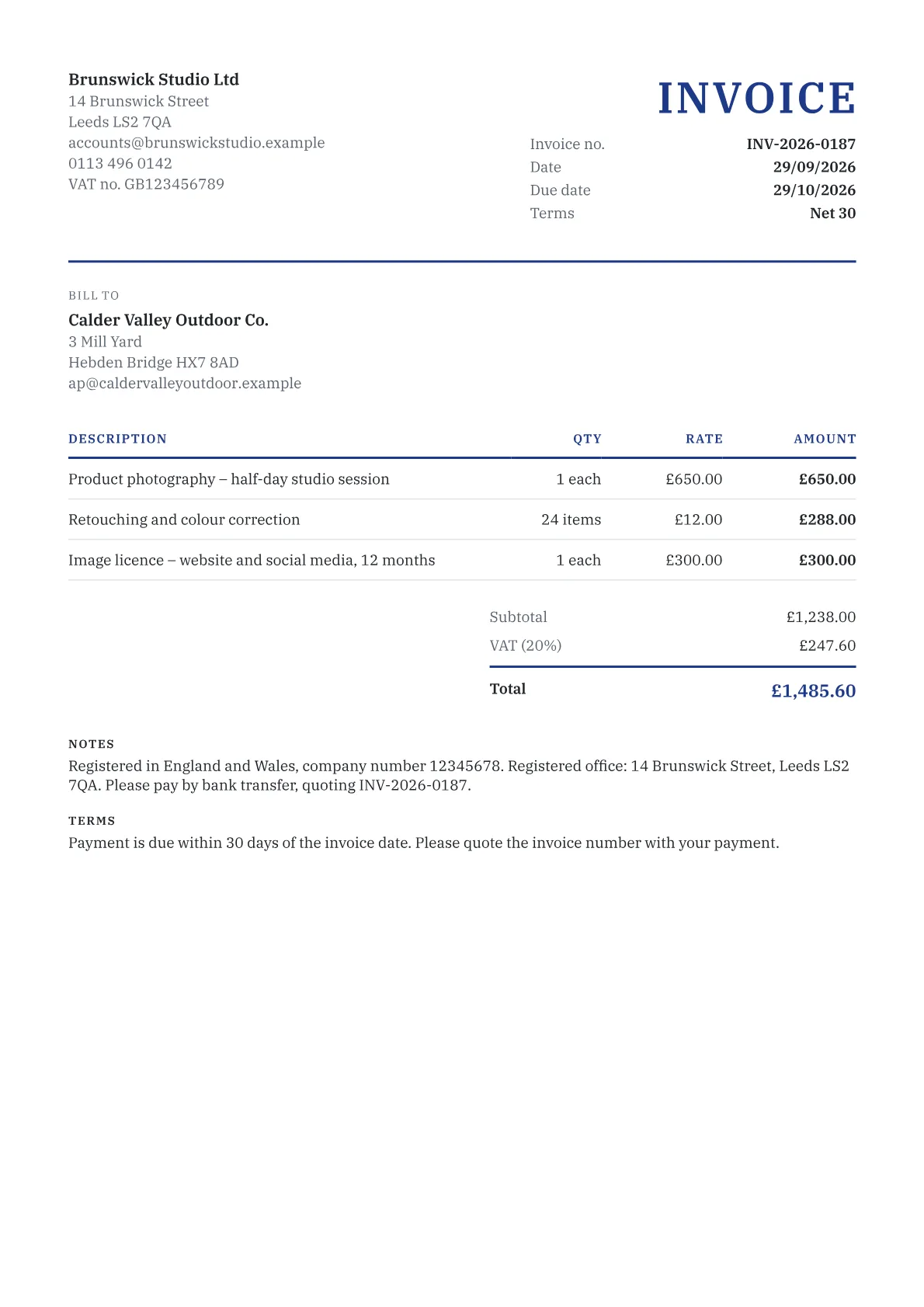
What every UK invoice must show
GOV.UK lists the details every business invoice needs, whether or not you are registered for VAT:
- a unique invoice number
- your business name, address and contact details
- your customer's company name and address
- a clear description of what you are charging for
- the date you supplied the goods or services, and the invoice date
- the amount charged, any VAT, and the total owed
If you are not VAT-registered you cannot charge VAT, so set VAT to 0% and leave the VAT number blank. When you and your customer are both VAT-registered, you must use a VAT invoice instead: try the UK VAT invoice generator.
Sole traders and limited companies
A sole trader shows their own name and any business name they trade under. If you use a business name, also give an address where legal documents can be delivered to you.
A limited company must show its registered name on its invoices, exactly as it appears on the certificate of incorporation. Company law also requires the company number, the registered office address and where the company is registered (England and Wales, Scotland or Northern Ireland) on business letters, order forms and websites, so most companies add the same details to the invoice footer. For example: "Registered in England and Wales, company number 12345678. Registered office: 14 Brunswick Street, Leeds LS2 7QA."
If you name any directors on the invoice, name all of them.
Payment terms and late payment
You can set your own terms. If you have not agreed a payment date with a business customer, payment is late 30 days after they receive your invoice or after you deliver the goods or service, whichever is later. Agreed terms between businesses should usually be within 60 days, and anything longer must be fair to both sides.
When another business pays late, the Late Payment of Commercial Debts (Interest) Act 1998 lets you claim:
- statutory interest at 8% a year above the Bank of England base rate in force on the 30 June or 31 December before the interest starts to run
- fixed compensation of £40 on debts up to £999.99, £70 on £1,000 to £9,999.99, and £100 on £10,000 or more
You cannot claim statutory interest if your contract sets a different rate. Work out the amount with the late fee calculator, then send a new invoice for it. With Pro, overdue invoices can get automatic email reminders.
A Commercial Payments Bill before Parliament in 2026 would change the rules on payment terms and late payment interest. Until it becomes law the figures above apply, so check GOV.UK before relying on them in a claim.
Frequently asked questions
Do I need to be VAT-registered to send an invoice in the UK?
No. Any business can send an invoice. If you are not VAT-registered you must not charge VAT or show a VAT number, so set VAT to 0% in the generator. You must register with HMRC when your taxable turnover for the last 12 months goes over £90,000, or you expect it to go over £90,000 in the next 30 days.
How long do UK business customers have to pay?
As long as you agree. If no payment date has been agreed, a business customer must pay within 30 days of receiving your invoice or the goods or service. Put a due date on every invoice so there is no argument about when payment became late; the generator calculates it from the payment terms you choose.
Can I invoice a UK client in euros or US dollars?
Yes. You can pick any currency in the generator. If you are VAT-registered and the supply takes place in the UK, HMRC requires the total VAT on a VAT invoice to be shown in sterling, even when the prices are in another currency.
Is this UK invoice generator really free?
Yes. You get unlimited invoices with no account and no watermark, on A4 paper in pounds by default, and everything you type stays in your browser. Free PDFs carry one small footer line, Made with invoicegenerators.net. Pro removes it and adds cloud sync, recurring invoices and automatic payment reminders.