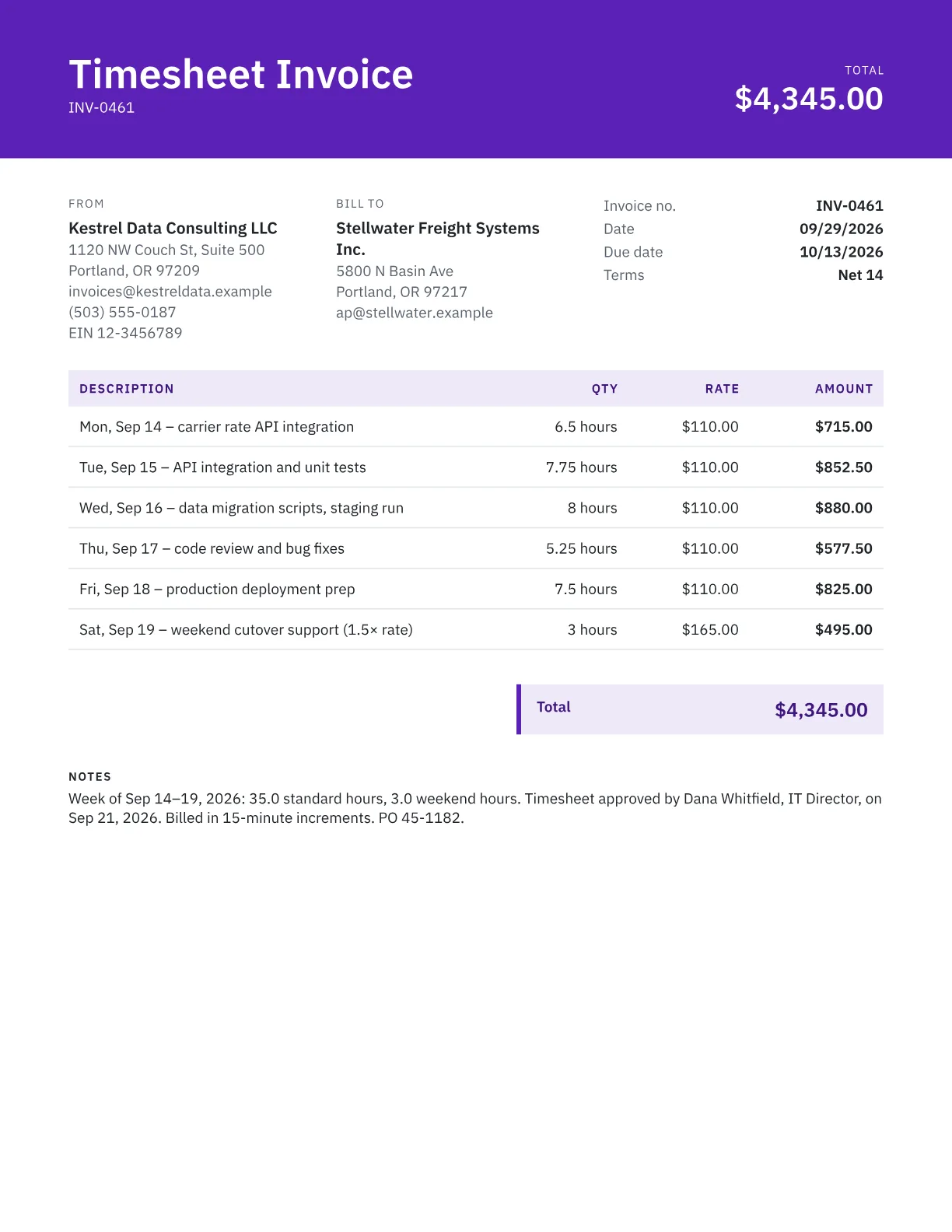
How to lay out a timesheet invoice
Use one line per day, or one per week for longer engagements, with the date, a short task description and the hours. Enter hours as decimals in the quantity column with “hour” as the unit, and the generator multiplies them by your rate. Put the client's PO or contract number, the billing period and the total hours in the notes, so accounts payable can match the invoice to the approved timesheet. For simpler hourly billing, see the hourly invoice template.
Rounding time
Agree a billing increment in your contract and apply it consistently. Six-minute increments (0.1 hour) are common in legal work; 15-minute increments (0.25 hour) are common in consulting and IT. Many firms round each entry up to the next increment, as in this table:
| Time worked | 6-minute increments | 15-minute increments |
|---|---|---|
| 22 minutes | 0.4 h | 0.5 h |
| 40 minutes | 0.7 h | 0.75 h |
| 1 h 50 min | 1.9 h | 2.0 h |
State the increment on the invoice so the client can check your math.
Approval and overtime
Many clients won't pay for hours until a manager has approved the timesheet. Get approval before you invoice, then record the approver's name and the date in the notes.
Federal overtime rules under the Fair Labor Standards Act cover employees, not independent contractors. As a contractor, you earn a premium for overtime, weekends or after-hours work only if your contract provides one, commonly 1.5 times the standard rate. Bill those hours on separate lines and state the rate. To set your base rate, try the hourly rate calculator.
Frequently asked questions
How do I convert minutes to decimal hours?
Divide the minutes by 60. Fifteen minutes is 0.25 hours, 30 minutes is 0.5, 45 minutes is 0.75 and 20 minutes is 0.33. So 7 hours 45 minutes goes on the invoice as 7.75 hours.
Should I attach the timesheet itself?
Attach it if your contract or the client asks for it. The invoice shows totals per day or week; the timesheet shows start and end times and task notes. Referencing the approval in the notes lets accounts payable match the two quickly.
Do independent contractors have to charge overtime?
No. The Fair Labor Standards Act's overtime rules protect employees, not independent contractors. A premium for extra hours, evenings or weekends applies only if your contract includes one, so agree it in writing before the work starts.
How often should I send timesheet invoices?
Weekly or every two weeks is common for hourly contracts, and monthly for longer engagements. Shorter billing periods keep each invoice small, make hours easier to verify and match the weekly approval cycle many clients use.
Can I bill travel time?
Only if your contract allows it. Many contractors bill travel at a reduced rate, or not at all for local trips. Put it on its own line with the date and destination so the client can review it separately from project work.