What to put on a receipt
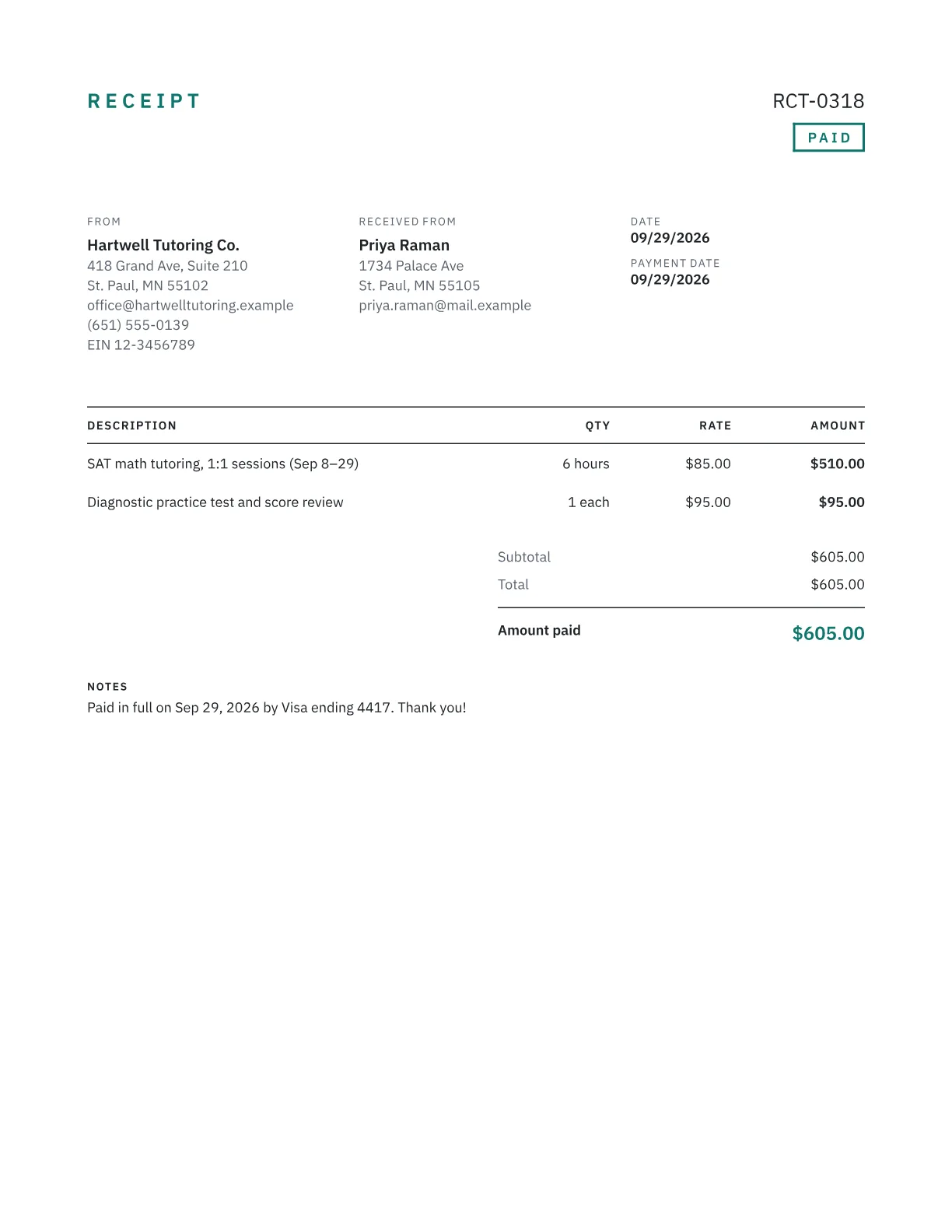
A receipt proves a payment happened, so give your customer enough detail to match it to their records:
- Your business name and contact details
- A receipt number and the date the payment was received
- What was paid for, with quantity and price for each line
- Sales tax as a separate line, if you charged it
- The total received and the payment method, such as “Visa ending 4417” or “check #1182”, never a full card number
- The invoice number it settles, and any balance still owed
Receipt or invoice?
An invoice asks for payment; a receipt confirms you've been paid. If you invoiced first, there's nothing to retype: open the invoice, mark it as paid and it becomes a receipt. The invoice vs receipt guide explains when you need each. For a refund or a price correction after the sale, issue a credit note rather than changing an old receipt.
Deposits and partial payments
When a customer pays part of the bill, the receipt should show the total, the amount received and the balance remaining. Enter the payment as the amount paid and the generator shows the balance for you. Give each payment its own receipt number, so a $500 deposit and a later $1,200 final payment are easy to trace.
Keeping copies
Keep a copy of every receipt you issue. The IRS generally expects you to keep records that support your tax return for at least three years after you file it, and longer in some situations. The generator's local history keeps your recent work, but browser storage isn't an archive: save the PDFs, or export your history as JSON, somewhere backed up.
Frequently asked questions
How do I turn an invoice into a receipt?
Open the invoice and mark it as paid. It becomes a receipt with the same client, items and amounts, showing the amount paid instead of a balance due. Check the payment date and method, then download the PDF.
Do receipts need to be numbered?
No federal rule requires it, but numbering makes every payment traceable and gaps easy to spot. Use a separate series from your invoices, such as RCT-0001, so a receipt number is never confused with an invoice number.
Can I make a donation receipt?
Yes. For a single gift of $250 or more, the IRS requires a written acknowledgment with the charity's name, the amount (or a description of donated property) and a statement that nothing was given in return, or a description and good-faith estimate of what was. Put that statement in the notes.
Should a receipt show sales tax?
Yes, if you charged it. Show sales tax as its own line rather than folding it into prices, so the customer's bookkeeper can record it correctly. The figure should match what you actually collected, since taxability rules for goods and services vary by state.
What if I refund a payment?
Don't delete or edit the original receipt. Issue a credit note that references the original sale, showing the amount refunded and the reason. Both documents stay in your records, and your numbering has no unexplained gaps.