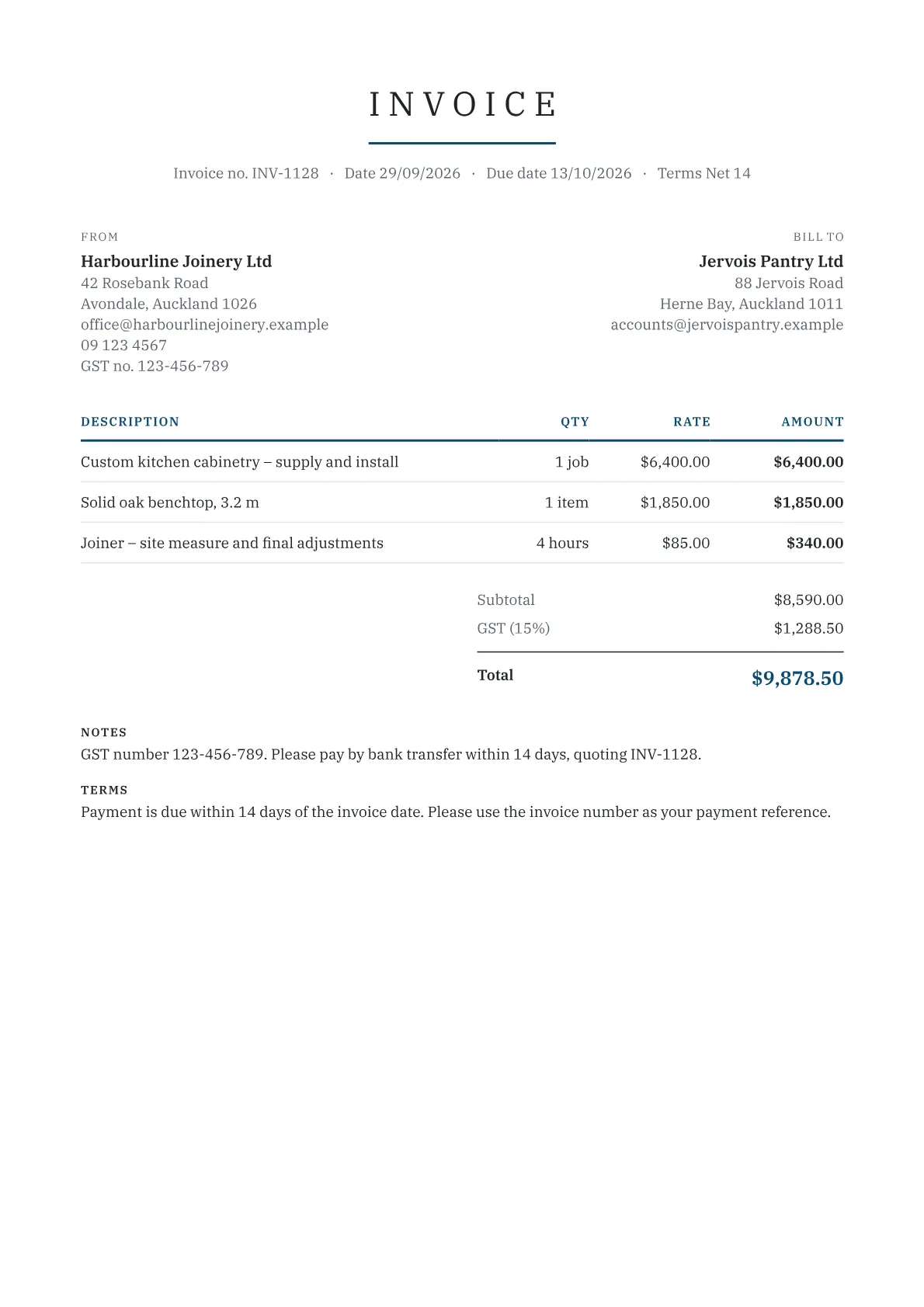
Taxable supply information replaced tax invoices
Since 1 April 2023, Inland Revenue (IRD) no longer requires a single tax invoice. GST-registered businesses must instead provide and keep taxable supply information (TSI): a minimum set of details that can sit on one invoice or across several records, such as a contract and a bank statement. IRD renamed the related documents too:
| Old term | New term |
|---|---|
| Tax invoice | Taxable supply information |
| Credit note or debit note | Supply correction information |
| Buyer-created tax invoice | Buyer-created taxable supply information |
You can still title the document Tax Invoice, and invoices that met the old rules still comply.
What to show at each value
The details depend on the value of the supply, including GST:
- $200 or less: your name or trade name, the invoice date, a description of the goods or services, and the amount charged.
- More than $200, up to $1,000: add your GST number, plus either the GST-exclusive amount, the GST and the GST-inclusive total, or the GST-inclusive total with a statement that GST is included (only when every item is at the standard rate).
- More than $1,000: also add the buyer's name and at least one identifier if they are GST-registered: address, phone number, email, trading name, NZBN or website.
For supplies over $200, you must provide TSI within 28 days when a GST-registered buyer asks for it.
GST number, NZBN and registration
In the generator, the New Zealand tax ID field is labelled NZBN / GST number. If you are GST-registered, enter your GST number there, because TSI for supplies over $200 must show it. Your GST number may be the same as your IRD number; an NZBN on its own is a different identifier.
You must register for GST if your turnover was at least $60,000 in the last 12 months or you expect it to be at least $60,000 in the next 12, or if you add GST to your prices. Not registered? Set GST to 0%. At 15%, a $100 job becomes $115, and the GST in a GST-inclusive price is 3/23 of the total.
Correcting an invoice
If a price changes after you have issued TSI, for example because goods are returned, an order changes or GST was charged at the wrong rate, you must provide supply correction information. It must show your name or trade name and GST number, the date of the correction, details identifying the original TSI such as the invoice number, and the correction, including any change to the GST. The credit note generator produces this. You do not need one for a discount or rebate already agreed in writing or set out in the original TSI.
Frequently asked questions
Do I still need to issue tax invoices in New Zealand?
Not as such. Since 1 April 2023 Inland Revenue requires taxable supply information instead, and it can come from one record or several. Many businesses still send a single document titled tax invoice, which is fine as long as it holds the details required for the value of the sale.
Do sales of $200 or less need an invoice?
You do not have to provide taxable supply information to the buyer for a sale of $200 or less including GST. Both you and a GST-registered buyer must still keep your own records of the sale: the seller's name, the date, a description of the goods or services and the amount.
Can I invoice New Zealand customers in another currency?
The generator lets you pick any currency, but Inland Revenue's GST guide says amounts in taxable supply information must be expressed in New Zealand currency. If you are GST-registered and supplying New Zealand customers, show your prices, GST and totals in NZD.
What GST rate applies in New Zealand?
GST is 15% on most taxable supplies. Some supplies are zero-rated at 0% and some are exempt, and exempt supplies are not included in your GST return. Use the per-line tax switch for zero-rated or exempt lines, and check IRD's guidance if you are unsure which applies.